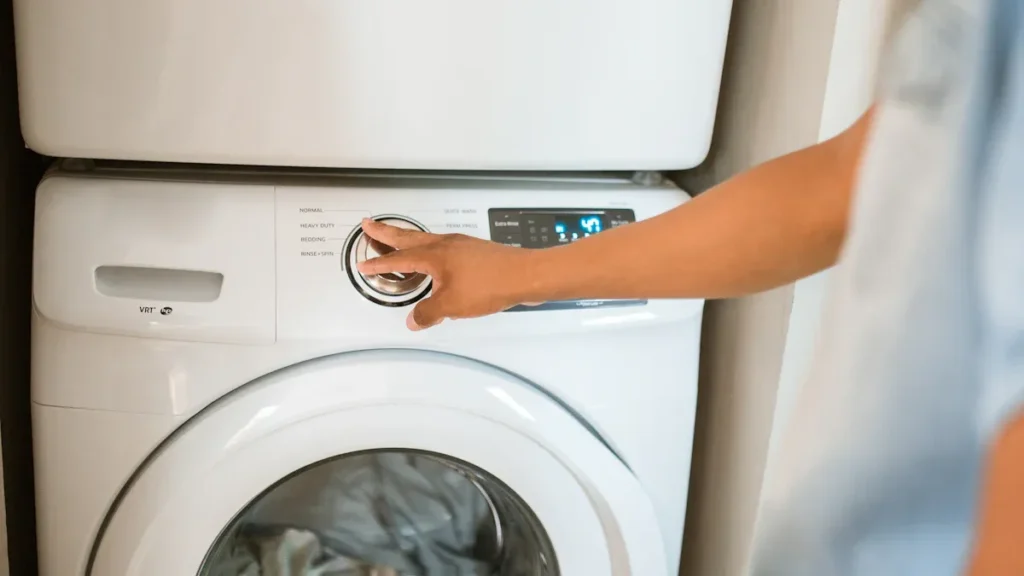
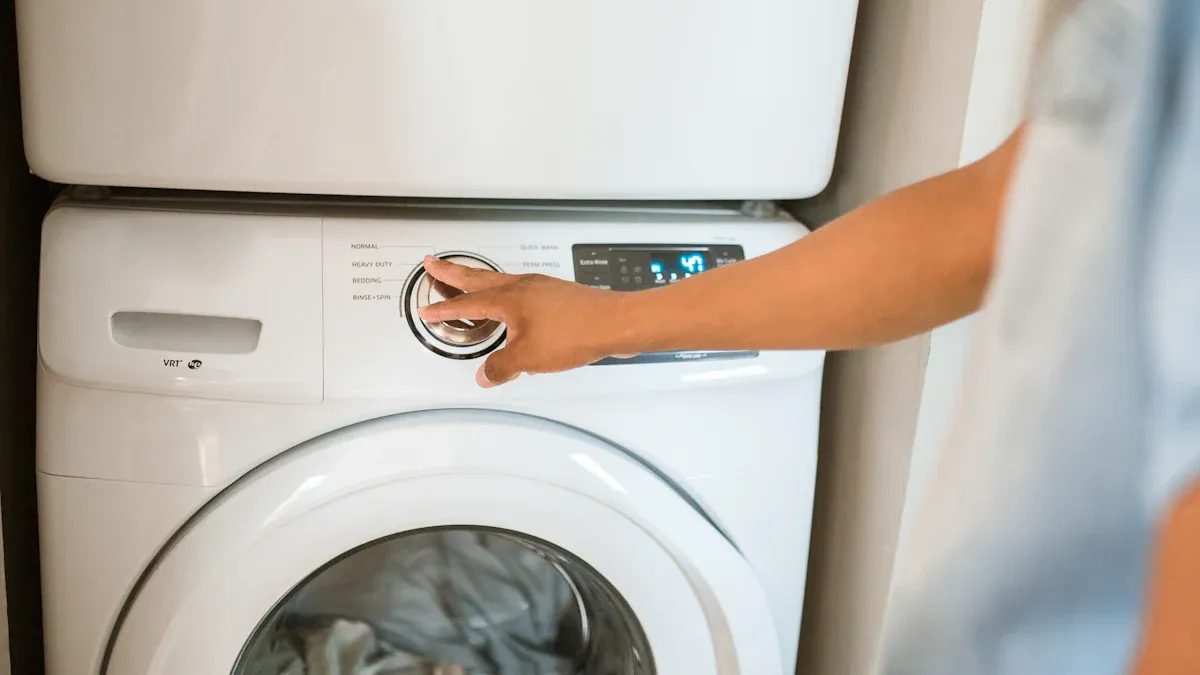
Cuando su secadora Samsung deja de calentar, comience con algunas verificaciones simples. Primero, observe si la secadora produce calor o muestra códigos de error. Luego, pruebe el elemento calefactor en busca de fallas. Siempre desenchufe su secadora antes de inspeccionarla o repararla. Si se siente inseguro o detecta daños importantes, contacte a un técnico calificado por su seguridad.
Consejo: La seguridad es lo primero. Nunca omita desenchufar su secadora antes de solucionar problemas.
Señales Comunes de que la Secadora Samsung No Calienta
Cuando su Secadora Samsung no calienta se convierte en un problema, notará varias señales de advertencia claras. Reconocerlas temprano puede ayudarle a evitar problemas mayores y mantener su secadora de ropa funcionando eficientemente.
La ropa no se seca correctamente
Ropa húmeda o mojada después de un ciclo completo
Usted espera que su ropa salga seca después de un ciclo. Si encuentra ropa húmeda o mojada, es posible que su secadora no esté produciendo suficiente calor. Esta es una de las causas más comunes de una Secadora Samsung no calienta. Debe verificar el tamaño de la carga y asegurarse de no haber sobrecargado la máquina. La sobrecarga puede impedir un flujo de aire adecuado y reducir el rendimiento del secado.
Tiempos de secado más largos de lo habitual
Si su secadora de ropa tarda mucho más en secar la misma cantidad de lavado, esto indica un problema de calentamiento. Puede notar que necesita ejecutar múltiples ciclos para secar su ropa. Esto no solo desperdicia energía, sino que también ejerce una tensión adicional en su secadora.
Nota: Los tiempos de secado consistentemente largos pueden señalar un problema con el elemento calefactor o restricciones de flujo de aire en su secadora Samsung.
Sin Calor de la Secadora Samsung
La secadora funciona pero no produce calor
A veces, su secadora se encenderá y girará como de costumbre, pero no sentirá calor en el interior. Esta es una señal clásica de que una secadora Samsung no calienta. El tambor gira, pero el elemento calefactor no se activa. Debe verificar si hay interruptores automáticos disparados o fusibles fundidos, pero si están bien, es posible que el elemento calefactor haya fallado.
Aire frío soplando en lugar de cálido
Si siente aire frío saliendo de su secadora de ropa durante un ciclo, el sistema de calentamiento no funciona como debería. Esto puede suceder si el elemento calefactor está roto o si hay un problema con el termostato o el fusible térmico.
Códigos de Error y Luces de Advertencia
Códigos de error comunes de secadoras Samsung relacionados con el calentamiento
Las secadoras Samsung modernas muestran códigos de error cuando algo sale mal. El ‘código de error ’HE' es uno que podría ver si su secadora se sobrecalienta o si falla el elemento calefactor. Este código significa que necesita verificar el elemento calefactor, el termistor y el sistema de ventilación. El termistor, que mide la temperatura, debe tener una resistencia de aproximadamente 10K ohmios a temperatura ambiente.
Qué significan los códigos para el elemento calefactor
Cuando ve el código ‘HE’, su secadora le está indicando que hay un problema de calentamiento. Los expertos recomiendan verificar el sistema de ventilación y el filtro de pelusas primero. Los conductos bloqueados pueden causar sobrecalentamiento y activar el error. Si el problema continúa, es posible que necesite reemplazar el termistor o el elemento calefactor. El termistor controla la función del termostato cíclico, por lo que un sensor defectuoso también puede causar problemas de calentamiento.
Consejo: Siempre limpie el filtro de pelusas y verifique el sistema de ventilación antes de pasar a reparaciones más complejas.
Solución de Problemas Paso a Paso del Elemento Calefactor de la Secadora Samsung
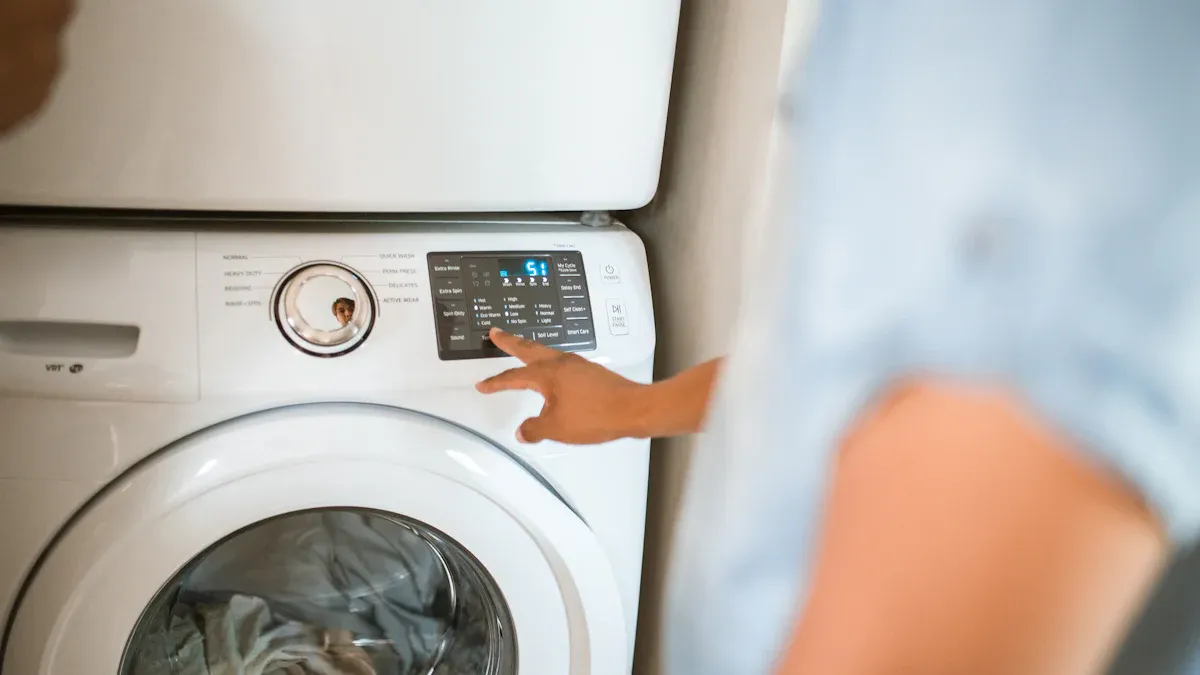
Seguridad primero
Desenchufar la secadora
Antes de comenzar cualquier solución de problemas, siempre desenchufe su secadora de la fuente de alimentación. Este simple paso lo protege de descargas eléctricas y previene lesiones accidentales. Cada año, más de 15,500 incendios comienzan debido a conductos de secadora, a menudo debido a la acumulación de pelusas y un mantenimiento deficiente. Desenchufar su electrodoméstico antes de las reparaciones es una medida de seguridad crítica que reduce el riesgo de accidentes eléctricos.
Consejo: Nunca omita desenchufar su secadora. Incluso si solo planea inspeccionarla, desconectar la energía lo mantiene a salvo.
Usar equipo de protección
Debería use guantes y gafas de seguridad cuando trabaje en su secadora. Las herramientas aisladas ayudan a prevenir descargas eléctricas. Asegúrese de que su espacio de trabajo esté limpio y libre de peligros. Verifique que sus herramientas no estén dañadas antes de usarlas. Estas precauciones lo ayudan a evitar lesiones y hacen que el proceso de reparación sea más fluido.
- Use guantes para proteger sus manos de bordes afilados.
- Use gafas de seguridad para proteger sus ojos del polvo y los escombros.
- Elija herramientas aisladas para una protección adicional.
Acceder al Elemento Calefactor en una Secadora Samsung
Localizar el elemento calefactor
Encontrará el elemento calefactor en la parte posterior o inferior de la mayoría de las secadoras Samsung. Consulte el manual del propietario para la ubicación exacta. El elemento calefactor se encuentra dentro de una carcasa de metal, generalmente cerca del conjunto del ventilador. Si tiene problemas para encontrarlo, busque un panel de metal grande en la parte posterior de la secadora.
Quitar el panel trasero o delantero
Para acceder al elemento calefactor, debe quitar el panel trasero o delantero. La mayoría de las secadoras Samsung requieren que desatornille el panel trasero. Mantenga un registro de todos los tornillos y piezas a medida que los retira. Algunos modelos pueden presentar desafíos de diseño, como piezas de plástico propensas a dañarse o paneles difíciles de quitar. Si encuentra resistencia o ve signos de falla mecánica, considere buscar ayuda profesional.
- Desenchufa la secadora.
- Retire los tornillos del panel trasero.
- Levante suavemente el panel para exponer los componentes internos.
- Coloque todos los tornillos y piezas en un lugar seguro.
Nota: Algunos usuarios informan que los componentes internos pueden ser difíciles de acceder debido a defectos de diseño. Si se siente inseguro, no fuerce ninguna pieza.
Inspección visual del elemento calefactor
Buscar daños visibles o roturas
Una vez que tenga acceso al elemento calefactor, inspecciónelo de cerca. Busque cualquier rotura visible, grietas o marcas de quemaduras en las bobinas. Las bobinas dañadas o rotas indican que el elemento no puede calentar correctamente y necesita reemplazo.
Verificar bobinas quemadas o rotas
Examine toda la longitud del elemento calefactor en busca de signos de cables quemados o rotos. Los puntos quemados o las áreas derretidas muestran que el elemento se ha sobrecalentado. Si ve alguno de estos problemas, debe reemplazar el elemento calefactor para restaurar el funcionamiento de su secadora rendimiento de su calentador de agua.
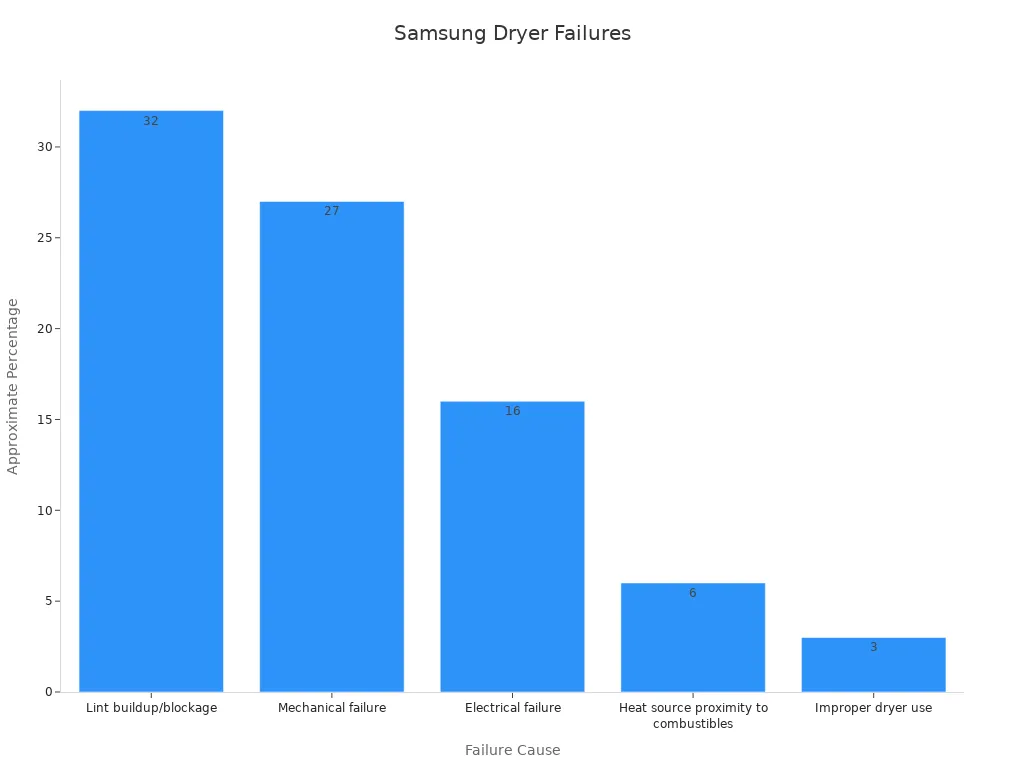
Llamada: Según estadísticas recientes, la acumulación de pelusas y las fallas mecánicas representan casi el 60% de las fallas de calentamiento en secadoras Samsung. La inspección y limpieza regulares pueden prevenir muchos de estos problemas.
| Causa | Porcentaje Aproximado |
|---|---|
| Acumulación/bloqueo de pelusas | 32% |
| Falla mecánica | 27% |
| Falla eléctrica | 16% |
| Proximidad de la fuente de calor a materiales combustibles | 6% |
| Uso inadecuado de la secadora | 3% |
Siguiendo estos pasos, aborda las causas más comunes de problemas de calefacción en su secadora Samsung. Si no encuentra daños visibles, continúe con las pruebas eléctricas y la resolución de problemas adicional.
Comprobación del elemento calefactor con un multímetro
Configuración del multímetro
Para diagnosticar con precisión su secadora Samsung, debe probar el elemento calefactor con un multímetro. Comience configurando su multímetro en la configuración de resistencia más baja, generalmente marcada como “Ω” para ohmios. Esta configuración le permite verificar la continuidad eléctrica. Asegúrese de que la secadora permanezca desenchufada durante este proceso para evitar descargas eléctricas.
- Gire la perilla del multímetro a la configuración de ohmios más baja.
- Toque las dos puntas de prueba juntas. La pantalla debe mostrar un valor cercano a cero, lo que confirma que el dispositivo funciona.
- Localice los terminales en el elemento calefactor. Estos suelen ser postes metálicos o tornillos en los extremos del elemento.
Consejo: Siempre verifique que la secadora esté desenchufada antes de usar un multímetro. Este paso garantiza su seguridad y protege su equipo.
Medición de continuidad en el elemento calefactor
Ahora, puede medir la continuidad en el elemento calefactor. Coloque una punta de prueba en cada terminal. Un elemento calefactor que funcione mostrará una lectura entre 10 y 50 ohmios. Si el multímetro muestra “OL” (línea abierta) o no muestra movimiento, el elemento ha fallado y necesita reemplazo.
- Coloque una punta de prueba en cada terminal del elemento calefactor.
- Observe la lectura:
- Una lectura dentro del rango especificado significa que el elemento tiene continuidad.
- Una lectura de “OL” o resistencia infinita significa que el elemento está roto.
Si no encuentra continuidad, ha identificado la fuente del problema de calefacción de su secadora. Reemplace el elemento calefactor defectuoso para restaurar el funcionamiento adecuado.
Nota: Probar componentes con un multímetro para verificar continuidad es una práctica recomendada. Cualquier pieza defectuosa debe reemplazarse para garantizar un funcionamiento seguro y eficiente de la secadora.
Verificación de componentes relacionados en la secadora Samsung
Inspección del fusible térmico y del termostato
Cuando su secadora deja de calentar, debe verificar el fusible térmico y probar los termostatos. Estos componentes desempeñan un papel crítico en la regulación de la temperatura y la prevención del sobrecalentamiento. Un fusible térmico fundido a menudo hace que la secadora deje de calentar, incluso si el tambor aún gira. Los fusibles térmicos actúan como dispositivos de seguridad que cortan la energía al sistema de calefacción si se produce un sobrecalentamiento. Los síntomas de un fusible fundido pueden incluir falta de calor o que la secadora no se encienda.
- Retire el fusible térmico de su alojamiento.
- Use su multímetro para probar la continuidad. Un fusible en buen estado mostrará una lectura cercana a cero ohmios.
- Si el fusible no muestra continuidad, reemplácelo de inmediato.
Los termostatos y termistores regulan la temperatura dentro de su secadora. Si estos fallan, puede experimentar calentamiento insuficiente, sobrecalentamiento o falta total de calor. El termostato de la secadora Samsung está clasificado para 10 amperios, pero las bobinas calefactoras consumen aproximadamente 20 amperios. Este diseño puede provocar fallos en el termostato, especialmente si la acumulación de pelusa restringe el flujo de aire.
- Retire el termostato de la secadora.
- Pruebe el termostato con su multímetro. Un termostato que funcione mostrará continuidad a temperatura ambiente.
- Reemplace cualquier termostato que falle la prueba.
Llamada de atención: Los fusibles térmicos fundidos indican con frecuencia problemas subyacentes como un flujo de aire deficiente causado por la acumulación de pelusa. Limpiar los filtros de pelusa y las líneas de escape puede prevenir fallos repetidos.
Examen del cableado y las conexiones
También debe examinar todo el cableado y las conexiones dentro de su secadora. La corrosión, los cables sueltos o los conectores quemados pueden interrumpir el suministro de energía al sistema de calefacción. Con el tiempo, la acumulación de pelusa y el desgaste pueden aumentar el consumo de corriente, estresando estos componentes.
- Inspeccione todos los cables visibles en busca de signos de daño o corrosión.
- Apretar cualquier conexión suelta.
- Reemplace cualquier cable o conector que parezca quemado o deshilachado.
Los informes de usuarios describen fallos repetidos del fusible térmico relacionados con restricciones del flujo de aire causadas por pelusa o piezas desgastadas como la polea tensora. Limpiar los filtros de pelusa, nivelar la secadora y reemplazar termistores o rodillos de tambor defectuosos han resuelto fallos repetidos para muchos usuarios.
Consejo: Las medidas preventivas incluyen limpiar los filtros de pelusa, inspeccionar las rejillas de ventilación, evitar la sobrecarga y ejecutar ciclos de limpieza de ventilación. Estos pasos ayudan a mantener un funcionamiento seguro y eficiente de la secadora.
Al verificar a fondo el fusible térmico, los termostatos, el cableado y las conexiones, aborda las causas más comunes de fallos de calefacción en su secadora Samsung. Este enfoque garantiza que su electrodoméstico funcione de manera segura y eficiente.
Reparación y reemplazo del elemento calefactor en una secadora Samsung
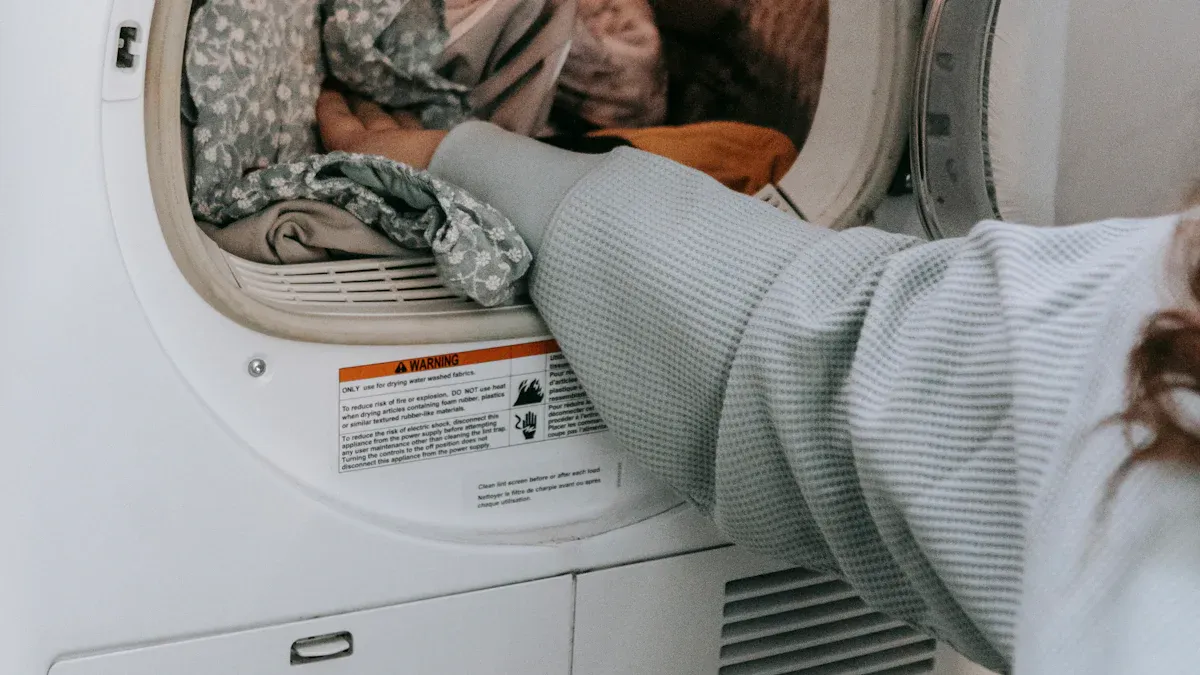
Cuándo ayuda limpiar el elemento calefactor
Eliminación de pelusa y residuos
Siempre debe comenzar con una limpieza a fondo antes de considerar reemplazar el elemento calefactor. La pelusa y los residuos pueden acumularse alrededor del conjunto de calefacción y restringir el flujo de aire. Esta acumulación hace que la secadora se sobrecaliente y puede activar dispositivos de seguridad como el fusible térmico. Use una aspiradora o un cepillo suave para eliminar la pelusa del área de calefacción. Preste especial atención a las esquinas y grietas donde se esconde la pelusa. La limpieza regular previene el sobrecalentamiento y prolonga la vida útil de su secadora Samsung.
Consejo: Limpie el filtro de pelusa después de cada carga. Este hábito simple reduce el riesgo de incendio y mejora la eficiencia de secado.
Limpieza de rejillas de ventilación y conductos
Las rejillas de ventilación y los conductos obstruidos obligan a su secadora a trabajar más. El flujo de aire restringido conduce a tiempos de secado más largos y puede causar que el elemento calefactor falle prematuramente. Desconecte la manguera de ventilación de la parte trasera de la secadora. Use un cepillo para limpiar conductos de ventilación o una aspiradora para eliminar la pelusa y el polvo. Verifique la solapa de ventilación exterior para asegurarse de que se abra libremente. Programe una limpieza profunda del sistema de ventilación de su secadora al menos una vez al año.
- Retire la manguera de ventilación.
- Limpie el interior de la manguera y el conducto de la pared.
- Vuelva a colocar la manguera de forma segura.
Nota: El flujo de aire deficiente es una de las principales causas de fallos de calefacción repetidos. Las rejillas de ventilación y los conductos limpios ayudan a prevenir la necesidad de reemplazar el elemento calefactor.
Cuándo es necesario reemplazar el elemento calefactor
Señales de que el elemento debe ser reemplazado
Puede notar ciertas señales que indican que es necesario reemplazar el elemento calefactor. Si su secadora funciona pero nunca produce calor, o si ve roturas o quemaduras visibles en las bobinas, es probable que el elemento haya fallado. Probar con un multímetro y no encontrar continuidad confirma la necesidad de reemplazo. El disparo repetido del fusible térmico, incluso después de la limpieza, también apunta a un elemento calefactor defectuoso.
Los signos comunes incluyen:
- Sin calor durante ningún ciclo
- Marcas de quemaduras o bobinas rotas en el elemento
- El multímetro muestra “OL” o resistencia infinita
- La secadora calienta de manera inconsistente o se apaga antes de tiempo
Alerta: Nunca ignore estas señales de advertencia. Retrasar el reemplazo puede provocar daños adicionales o riesgos de seguridad.
Encontrar la pieza de repuesto correcta para su secadora Samsung
Al reemplazar el elemento calefactor, debe elegir la pieza correcta para el modelo de su secadora Samsung. Consulte su manual del propietario o la etiqueta dentro de la puerta para obtener el número de modelo. Use esta información para pedir el elemento calefactor exacto requerido. Muchos minoristas en línea y tiendas de electrodomésticos tienen piezas genuinas de Samsung. Evite los reemplazos genéricos que pueden no ajustarse o funcionar correctamente.
- Localice el número de modelo de su secadora.
- Busque el elemento calefactor correspondiente usando este número.
- Compare los números de pieza antes de comprar.
| Paso | Acción |
|---|---|
| Encuentre el número de modelo | Revise dentro de la puerta o en la parte posterior. |
| Busque la pieza. | Utilice el número de modelo para obtener resultados precisos. |
| Verifique la compatibilidad. | Compare los números de pieza antes de comprar. |
Consejo: Conserve el viejo elemento calefactor hasta finalizar la reparación. Puede compararlo con la pieza nueva para garantizar una correcta correspondencia.
Reparación DIY vs. Profesional para el Elemento Calefactor de la Secadora Samsung.
Cuándo es seguro hacerlo usted mismo.
Puede encargarse de reemplazar el elemento calefactor si se siente cómodo con herramientas básicas y seguridad eléctrica. Desconecte siempre la secadora antes de comenzar. Siga los pasos de su manual de usuario o de una guía de reparación confiable. Use guantes y gafas de seguridad para protegerse. Si ya ha accedido y probado el elemento calefactor, es probable que tenga las habilidades necesarias para el reemplazo.
- Desenchufa la secadora.
- Retire los paneles necesarios.
- Sustituya el viejo elemento calefactor. por el nuevo.
- Vuelva a ensamblar y pruebe la secadora.
Nota: Las reparaciones DIY ahorran dinero y tiempo. Proceda solo si confía en sus capacidades.
Cuándo llamar a un profesional.
Debe llamar a un profesional si no está seguro de algún paso en el reemplazo del elemento calefactor. Modelos complicados, tornillos difíciles o diagramas de cableado poco claros pueden dificultar el trabajo. Si observa cableado quemado, fallos repetidos del fusible u otros problemas eléctricos, un técnico calificado puede diagnosticar y solucionar el problema de forma segura. La reparación profesional garantiza que su secadora Samsung funcione de manera segura y eficiente.
- Busque ayuda para reparaciones complejas.
- Contacte a un técnico para problemas eléctricos.
- Utilice proveedores de servicio autorizados para reparaciones bajo garantía.
Alerta: Nunca arriesgue su seguridad. En caso de duda, elija la reparación profesional para reemplazar el elemento calefactor.
Prevención de Futuros Problemas del Elemento Calefactor en Secadoras Samsung.
Consejos de Mantenimiento Regular para la Secadora Samsung.
Limpieza del filtro de pelusas después de cada uso.
Siempre debe Limpie el filtro de pelusas antes o después de cada carga.. Los filtros de pelusas capturan la mayor parte, pero no toda, de la pelusa de su ropa. Con el tiempo, la pelusa que escapa del filtro se acumula dentro de la secadora y el sistema de ventilación. Esta acumulación restringe el flujo de aire, aumenta los tiempos de secado y eleva el riesgo de sobrecalentamiento. De hecho, no limpiar adecuadamente la secadora representa. 34% de los incendios en secadoras.. Al hacer de la limpieza del filtro de pelusas un hábito, ayuda a prevenir obstrucciones y protege su hogar.
Consejo: Retire la rejilla de pelusas, limpie toda la pelusa visible y verifique si hay rasgaduras o daños. Reemplace el filtro si está desgastado para mantener el rendimiento óptimo.
Programación de limpiezas profundas.
La limpieza profunda rutinaria mantiene su secadora funcionando de manera eficiente y segura. Las rejillas de pelusas solo capturan aproximadamente. 90% al 95% de la pelusa., por lo que siempre algo de pelusa escapa hacia el conducto de ventilación y el chasis. Debe programar una limpieza exhaustiva del conducto de escape y del interior de la secadora al menos una o dos veces al año. Use una aspiradora o un cepillo para conductos para eliminar la pelusa de la manguera de ventilación y el ducto de la pared. Inspeccione el tambor, los sellos del tambor y la rueda del ventilador en busca de pelusa o residuos. La limpieza profunda regular reduce los riesgos de incendio, mejora el flujo de aire y extiende la vida útil de su electrodoméstico.
| Componente | Frecuencia de mantenimiento | Razón/Beneficio. |
|---|---|---|
| Filtro de Pelusas. | Cada carga | Previene el riesgo de incendio y mantiene la eficiencia. |
| Conducto de Escape. | 1-2 veces al año. | Reduce obstrucciones, mejora el flujo de aire y disminuye el riesgo de incendio. |
| Limpieza del Tambor. | Según sea necesario | Elimina manchas y previene olores. |
| Barras Sensoras. | Cuando los ciclos son demasiado cortos. | Garantiza un secado preciso y evita el desperdicio de energía. |
Uso Adecuado de su Secadora Samsung.
Evitar sobrecargar la secadora.
Debe evitar sobrecargar su secadora. Las cargas grandes y pesadas bloquean el flujo de aire y fuerzan a la máquina a trabajar más. Esta tensión adicional puede hacer que el elemento calefactor se sobrecaliente o falle. Siga siempre las pautas del fabricante para el tamaño de la carga. Si nota que la ropa permanece húmeda o los ciclos toman más tiempo, reduzca el tamaño de la carga para obtener mejores resultados.
Nota: La sobrecarga no solo afecta el rendimiento del secado, sino que también aumenta el desgaste de correas, rodillos y sellos.
Uso de configuraciones correctas para tipos de tela.
Seleccionar la configuración correcta para cada tipo de tela ayuda a prevenir estrés innecesario en su secadora. Las telas delicadas requieren menos calor, mientras que los artículos más pesados necesitan temperaturas más altas. Usar el ciclo correcto protege tanto su ropa como el elemento calefactor. Si usa la configuración incorrecta, se arriesga a sobrecalentar o no secar completamente su ropa. Revise siempre las etiquetas de las prendas y elija el ciclo apropiado.
- Use calor bajo para delicados y sintéticos.
- Seleccione calor alto para toallas y telas pesadas.
- Evite usar ciclos temporizados para cargas mixtas.
Al seguir estos consejos de mantenimiento y uso, reduce el riesgo de problemas con el elemento calefactor y mantiene su secadora funcionando de manera segura y eficiente.
Qué Hacer Si Su Secadora Samsung No Calienta Después de la Solución de Problemas.
Cuándo Buscar Ayuda Profesional para la Secadora Samsung.
Señales de que necesita reparación experta.
Puede llegar a un punto en el que su. solución de problemas no restaure el calor a su secadora Samsung.. Ciertas señales de advertencia indican que debe detenerse y contactar a un profesional. Si observa alguna de las siguientes, la reparación experta es la opción más segura:
- La secadora aún no produce calor después de haber revisado el elemento calefactor, el fusible térmico y el termostato.
- Observa daños visibles como marcas de quemaduras, ampollas o grietas en el elemento calefactor.
- La secadora calienta de manera desigual o tarda mucho más de lo normal en secar la ropa.
- Detecta olores eléctricos o escucha ruidos inusuales durante el funcionamiento.
- El multímetro no muestra continuidad en el elemento calefactor o los sensores, incluso después de haber reemplazado las piezas.
Los profesionales utilizan herramientas de diagnóstico avanzadas para confirmar fallos. Realizan pruebas de continuidad eléctrica y calibración de temperatura que van más allá de la resolución de problemas básica en el hogar. Estos métodos ayudan a identificar problemas ocultos que pueden no ser visibles durante una inspección estándar.
⚠️ Alerta: Los problemas de calefacción persistentes pueden indicar fallos eléctricos más profundos. Intentar reparaciones sin la capacitación adecuada puede aumentar los riesgos de seguridad.
Cómo encontrar un técnico calificado
Desea un técnico que entienda los electrodomésticos Samsung y utilice los métodos de diagnóstico adecuados. Busque estas cualidades al elegir un servicio de reparación:
- Certificación en reparación de electrodomésticos, especialmente para productos Samsung.
- Reputación positiva y garantías de servicio claras.
- Uso de equipos de diagnóstico profesionales, como multímetros y herramientas de calibración.
- Precios transparentes y presupuestos de reparación detallados.
Puede buscar centros de servicio autorizados de Samsung en el sitio web oficial de Samsung. Las empresas locales de reparación de electrodomésticos también pueden tener técnicos certificados. Siempre pregunte sobre la experiencia con su modelo específico de secadora.
| Tipo de evidencia | Descripción |
|---|---|
| Datos de medición | Las pruebas de resistencia con multímetro diagnostican fallos en elementos calefactores y sensores. |
| Informes del usuario | Los síntomas incluyen falta de calor, calentamiento lento o distribución desigual de la temperatura. |
| Inspección visual | Marcas de quemaduras, ampollas o grietas en los elementos calefactores indican fallo. |
| Datos del suministro eléctrico | Un voltaje reducido puede causar potencia insuficiente para los elementos calefactores. |
| Diagnósticos profesionales | Las pruebas de continuidad y calibración de temperatura confirman fallos en elementos o sensores. |
Opciones de garantía y soporte para la secadora Samsung
Verificación de la garantía de su Samsung
Antes de pagar por reparaciones, verifique si su secadora Samsung aún está en garantía. La mayoría de las secadoras Samsung nuevas vienen con una garantía limitada que cubre piezas y mano de obra por un período determinado. Puede encontrar los detalles de la garantía en su manual de usuario o en el sitio web de Samsung. Necesitará su modelo y número de serie para verificar la cobertura.
- Localice el modelo y número de serie de su secadora (generalmente dentro de la puerta o en la parte trasera).
- Visite la página de garantía de Samsung e ingrese su información.
- Revise qué reparaciones o piezas cubre la garantía.
💡 Consejo: Conservar su recibo de compra y documentos de garantía agiliza el proceso.
Contacto con el soporte de Samsung
Si su secadora está en garantía o necesita asesoramiento técnico, contacte al soporte de Samsung. El equipo de soporte puede ayudarle a programar servicio, solicitar piezas de repuesto o responder preguntas sobre su electrodoméstico. Puede contactarlos por teléfono, chat en línea o a través de la aplicación Samsung Members.
- Visite el sitio web oficial de soporte de Samsung.
- Seleccione su producto y describa el problema.
- Siga las instrucciones para solicitar servicio u obtener ayuda para la resolución de problemas.
El soporte de Samsung puede conectarlo con centros de reparación autorizados. Usar canales oficiales garantiza que su secadora reciba el cuidado adecuado y que cualquier reparación no anule su garantía.
Solución de otros problemas comunes de la secadora Samsung
La secadora Samsung no arranca
Problemas de suministro eléctrico
Cuando su secadora Samsung se niega a arrancar, primero debe verificar el suministro eléctrico. Compruebe que el electrodoméstico esté enchufado de forma segura. Inspeccione el enchufe en busca de signos de daño o conexiones sueltas. Si usa un disyuntor, confirme que no se haya disparado. A veces, un fusible fundido o un enchufe defectuoso pueden impedir que la secadora se encienda. Puede probar el enchufe con otro dispositivo para asegurarse de que suministre energía. Si el enchufe funciona, examine el cable de alimentación en busca de desgaste visible o cortes. Reemplace los cables dañados de inmediato para evitar riesgos eléctricos.
⚡ Consejo: Siempre desconecte el electrodoméstico antes de inspeccionar componentes eléctricos para protegerse de descargas.
Problemas con el interruptor de la puerta
Un interruptor de puerta defectuoso también puede impedir que su secadora arranque. El interruptor de puerta actúa como una característica de seguridad, evitando el funcionamiento cuando la puerta permanece abierta. Si el interruptor falla o se desalinea, el panel de control no recibirá la señal para iniciar un ciclo. Abra y cierre la puerta firmemente. Escuche un sonido de clic, que indica que el interruptor se activa. Si no escucha un clic, es posible que el interruptor necesite ajuste o reemplazo. Puede usar un multímetro para probar la continuidad en el interruptor de puerta. Si la prueba falla, instale un interruptor nuevo para restaurar la función.
Ruidos u olores inusuales de la secadora Samsung
Identificación de sonidos extraños
Puede que lo notes Sonidos nuevos o anormales durante el funcionamiento. Si bien algo de ruido es normal, golpes fuertes, chirridos o rechinidos a menudo indican fallos mecánicos. Rodillos de tambor desgastados, correas sueltas u objetos extraños dentro del tambor pueden causar estos sonidos. Investigue de inmediato cuando escuche ruidos inusuales. Ignorarlos puede provocar daños mayores. Un técnico de electrodomésticos explica que los ruidos anormales en las secadoras Samsung a menudo indican fallos subyacentes. Abordar estos problemas a tiempo ayuda a mantener un rendimiento seguro y eficiente. Escuche cambios en el sonido durante cada ciclo.
- Inspeccione el tambor y los componentes circundantes en busca de piezas sueltas o dañadas.
- Retire cualquier objeto extraño encontrado dentro del tambor.
- Manejo de olores a quemado.
Un olor a quemado proveniente de su secadora Samsung requiere atención inmediata. Este olor a menudo apunta a problemas de flujo de aire. Ruedas del soplador dañadas o sueltas, paneles o sellos desalineados, o pelusa ennegrecida en la cámara de llama pueden interrumpir el flujo de aire. Cuando el flujo de aire se vuelve insuficiente, la llama puede acortar el ciclo, produciendo un olor a quemado. El ciclo corto ocurre cuando la llama no puede mantenerse, activando ciclos de apagado de seguridad. Debe apagar el electrodoméstico e inspeccionar el sistema de ventilación en busca de obstrucciones. Limpie cualquier acumulación de pelusa y verifique si hay sellos o paneles dañados. Si el olor persiste, contacte a un técnico calificado para prevenir riesgos de incendio.
A Nunca ignore los olores a quemado. La acción rápida protege su hogar y garantiza un funcionamiento seguro. Ahora tiene un proceso claro para solucionar problemas de calefacción. Comience con verificaciones básicas y pasos de seguridad. Inspeccione y pruebe los componentes antes de reemplazar piezas. La limpieza regular y el uso adecuado ayudan a prevenir problemas futuros. Si nota fallos persistentes o daños eléctricos, contacte a un técnico calificado. Su atención al mantenimiento y la seguridad garantiza un rendimiento confiable.
🚨 Alerta: ¿Con qué frecuencia debe limpiar el filtro de pelusa de su secadora Samsung?.
Debe limpiar el filtro de pelusa después de cada carga. Este hábito mantiene un flujo de aire fuerte y ayuda a prevenir el sobrecalentamiento. La limpieza regular también reduce el riesgo de incendio y mejora el rendimiento de secado.
PREGUNTAS FRECUENTES
Puede reemplazar el elemento calefactor si se siente cómodo con herramientas básicas y pasos de seguridad. Siempre desconecte la secadora primero. Si no está seguro o ve daños eléctricos, contacte a un profesional.
¿Qué significa el código de error "HE" en una secadora Samsung?.
¿Puede reemplazar usted mismo el elemento calefactor de una secadora Samsung?
El código "HE" señala un problema de calefacción. Debe verificar el elemento calefactor, el termistor y el sistema de ventilación. Limpie primero el filtro de pelusa y las ventilaciones. Si el código persiste, pruebe el elemento calefactor y los sensores.
¿Por qué su secadora Samsung sigue fundiendo el fusible térmico?
Las fallas frecuentes del fusible térmico a menudo apuntan a un flujo de aire deficiente. La acumulación de pelusa en la ventilación o la secadora puede causar sobrecalentamiento. Limpie regularmente el filtro de pelusa, la manguera de ventilación y los conductos para prevenir este problema.
¿Cómo se prueba el elemento calefactor de una secadora Samsung con un multímetro?
Configure su multímetro en la configuración de ohmios más baja. Toque una sonda en cada terminal del elemento calefactor. Una lectura entre 10 y 50 ohmios significa que el elemento funciona. "OL" o ninguna lectura significa que necesita un reemplazo.
¿Qué debe hacer si su secadora Samsung huele a quemado?
Apague la secadora de inmediato. Verifique la acumulación de pelusa en el tambor, la ventilación y el área de calefacción. Limpie toda la pelusa y los residuos. Si el olor continúa, llame a un técnico calificado para inspeccionar problemas eléctricos o mecánicos.
¿La garantía de una secadora Samsung cubre el reemplazo del elemento calefactor?
La mayoría de las garantías de Samsung cubren el reemplazo del elemento calefactor dentro del período de garantía. Verifique los términos de su garantía y el número de modelo. Contacte al soporte de Samsung para confirmar la cobertura y programar reparaciones autorizadas.
Does a Samsung dryer warranty cover heating element replacement?
Most Samsung warranties cover heating element replacement within the warranty period. Check your warranty terms and model number. Contact Samsung support to confirm coverage and schedule authorized repairs.
¿Cómo se pueden prevenir futuras fallas del elemento calefactor?
Se pueden prevenir fallas limpiando el filtro de pelusas después de cada uso, programando limpiezas profundas y evitando sobrecargas. Utilice la configuración correcta para cada tipo de tejido. El mantenimiento regular mantiene su secadora funcionando de manera segura y eficiente.