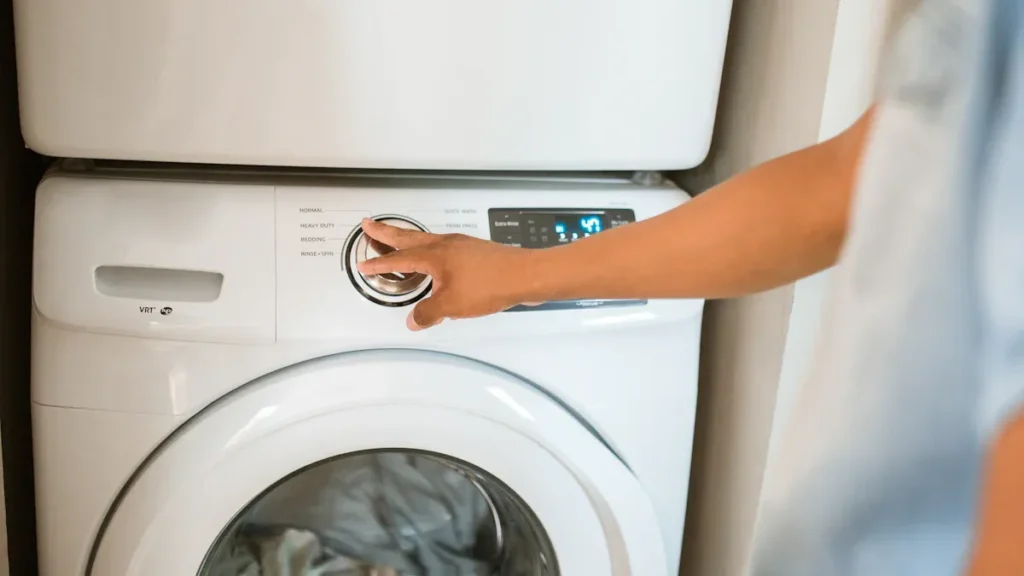
当您的肯摩尔烘干机停止产生热量时,您常常会面临洗衣延迟和困扰。加热问题会打乱您的日常安排,并导致衣物潮湿。您可以选择自行维修加热元件问题来解决此故障。开始任何维修前,务必先拔掉烘干机电源。这种方法可以节省时间,并帮助您避免不必要的开支。.
提示:保持工作区域整洁有序,以确保加热维修过程顺利进行。.
肯摩尔烘干机不加热的原因
无热量的常见原因
当您的烘干机停止产生热量时,您面临的是一个常见的家庭问题。有几个问题可能导致加热故障,但其中一个是最常见的。下表显示了肯摩尔烘干机无热量问题主要原因的百分比细分:
| Gây ra | 故障案例百分比 | 描述摘要 |
|---|---|---|
| 烘干机加热元件 | 91% | 主要原因;负责产生热量;故障原因包括线圈断裂、过热或电气问题。. |
| 烘干机皮带 | 4% | 驱动滚筒旋转;磨损或损坏可能导致无热量症状。. |
| 绒毛过滤网罩泡沫密封条 | <1% | 防止空气泄漏;老化会影响气流和烘干效率。. |
| 接线端子与线束套件 | <1% | 电气连接;故障可能导致无热量。. |
| 烘干机驱动电机 | <1% | 驱动滚筒和空气循环;电机故障可能导致无热量。. |
您应首先检查加热元件,因为它占加热故障的绝大多数。其他部件很少导致完全无热量。.
加热元件的作用
Các 您肯摩尔烘干机中的加热元件 是主要的热源。该线圈或电热丝加热空气,然后由鼓风机将热空气循环通过滚筒。热空气带走衣物中的水分,使烘干过程高效进行。您通常会发现加热元件位于烘干机的背板内。根据您的型号,它使用电力、丙烷或天然气运行。.
加热元件的正常功能至关重要。如果它发生故障,您的烘干机会运转但无法有效烘干衣物。加热元件与滚筒、电机和鼓风机协同工作,以确保最佳性能。研究表明, 加热元件的功率影响烘干时间和能效. 。一些先进的烘干机使用混合系统来提高节能效果,但加热元件对于可靠运行仍然至关重要。.
加热元件故障的迹象
您可以通过观察几个明显的迹象来识别故障的加热元件。烘干机可能运转,但您注意到滚筒内没有热空气。完整周期后衣物仍然潮湿。您可能会在加热元件本身看到可见的损坏,例如裂纹或鼓包。使用万用表测试加热元件有助于确认问题。如果发现不导通,则需要更换该部件。.
以下是您可以遵循的检查加热元件故障的步骤:
- Các 加热元件产生热量; ;如果它失效,烘干机会运转但不产生热空气。.
- 目视检查时,查看加热元件上是否有裂纹或鼓包。.
- 使用万用表检查导通性;缺乏导通性意味着加热元件已故障。.
- 遵循维修指南来安全地接触、拆卸和更换加热元件,因为它经常导致加热故障。.
提示:在检查或更换加热元件之前,务必拔掉烘干机电源,以避免电气危险。.
维修加热元件的安全与工具
肯摩尔烘干机维修的基本工具
You need the right tools to repair heating element issues in your Kenmore dryer. Using the correct equipment helps you work efficiently and reduces the risk of damaging components. Here is a list of essential tools you should gather before starting:
- Tuốc nơ vít Phillips và tuốc nơ vít đầu phẳng
- 螺母起子套装(通常为1/4英寸和5/16英寸规格)
- Kìm mũi nhọn
- 万用表(用于电气测试)
- Găng tay làm việc
- 手电筒或头灯
- 存放螺丝的小容器
万用表尤为重要。您将用它来测试加热元件的导通性。此步骤可确认您是需要维修加热元件问题,还是需要寻找其他原因。.
提示:将所有拆下的螺丝放入小容器中。这可以防止丢失并加快重新组装。.
开始前的安全预防措施
维修任何电器时,安全必须放在首位。烘干机使用高电压并产生热量,因此如果您跳过预防措施,将面临实际风险。开始前,先从墙壁插座拔下烘干机插头。如果您的型号使用燃气,请同时关闭燃气供应。.
事件报告显示,如果不遵循安全指南,电器维修可能导致人身伤害或财产损失。下表重点列出了与烘干机及类似电器相关的关键安全数据:
| 统计数据/事件详情 | 数据/描述 |
|---|---|
| 每年由烘干机引起的住宅火灾 | 约2,000起 |
| 每年烘干机火灾造成的财产损失 | 3,500万美元 |
| 每年烘干机火灾造成的受伤人数 | 100 |
| 每年烘干机火灾造成的死亡人数 | 5 |
| 烘干机火灾最常见的原因 | 未清洁绒毛过滤网导致绒毛在排气管/过滤器中积聚 |
| 安全部件作用 | 热熔断器切断加热元件的电源,以防止过热火灾 |
| 热熔断器特性 | 一次性使用;如果熔断必须更换以保持安全 |
| 维护的重要性 | 每次使用后清洁绒毛过滤网,以防止火灾隐患 |
您还应考虑近期的电器召回事件。例如,, 肯摩尔和富及第电灶面临召回 ,原因是加热元件意外启动或无法关闭。这些事件导致了火灾和烧伤伤害。尽管这些案例涉及灶具,但它们强调了在维修任何肯摩尔电器的加热元件问题时采取严格安全措施的重要性。.
Chuẩn bị không gian làm việc của bạn
一个干净、有序的工作空间有助于您安全高效地完成维修。选择一个照明良好、有足够空间围绕烘干机移动的区域。清除该区域的所有杂物或易燃材料。铺上毛巾或垫子以保护地板并接住小零件。.
将工具放在易于取用的地方。将烘干机手册放在附近以便快速查阅。良好的照明可以让您清楚地看到小螺丝和电气连接。佩戴手套可以保护您的手免受锋利边缘和高温表面的伤害。.
注意:在维修加热元件组件前后,务必清洁绒毛过滤器。这一简单步骤可降低火灾风险并提升烘干机性能。.
诊断肯摩尔烘干机加热元件

Truy cập vào bộ phận làm nóng
在对肯摩尔烘干机的任何加热问题进行诊断前,必须先接触加热元件。首先拔下烘干机电源以确保安全。将烘干机移离墙面以便接触后盖板。使用螺母起子或螺丝刀卸下固定后盖板的螺丝。将盖板置于一旁,并将螺丝存放在小容器中。.
定位加热元件外壳,其通常位于烘干机滚筒底部或后部附近。部分型号需拆卸前面板或滚筒以便操作。请务必参考烘干机手册获取具体说明。接触加热元件后,即可开始检查与测试流程。.
注意:断开任何连接前请先拍摄接线照片。此步骤有助于在重新组装时正确连接电线。.
目视检查损伤
细致的目视检查可帮助识别多种常见加热元件故障。检查元件时,请关注以下迹象:
- 加热线圈上积聚的烧焦绒毛, ,通常表现为黑色或炭化碎屑。.
- 加热元件表面的变色或起泡。.
- 电阻加热迹象,如熔化或烧焦的线缆连接器。.
- 松动或压接不当的线缆接头,可能导致过热和火灾风险。.
- 加热器箱体上附着损坏或卡滞的温控器。若热熔断器已触发,则需检查并更换热熔断器和高温限位温控器。.
- 加热元件附近的局部烧痕或小型烘干机起火证据。.
- 绒毛滑道中的绒毛堆积,可能限制气流并导致过热。.
- 温控器上的日期代码,有助于验证组件使用年限和状态。.
受损加热元件的照片常显示烧焦绒毛和熔化线缆。高分辨率图像可揭示线圈的细微裂纹或断裂。检查元件时,务必检查周边线缆和温控器是否出现损伤迹象。.
提示:若发现任何烧焦绒毛或熔化连接器,请彻底清洁该区域并更换所有受损部件,以防未来出现加热问题。.
使用万用表测试加热元件
完成目视检查后,需使用万用表测试加热元件以确认是否失效。将万用表调至电阻(欧姆)档位。断开加热端子上的线缆连接。将两个探针分别置于两个端子上,读取电阻值。.
The table below shows the standard resistance ranges and what they mean for your Kenmore dryer’s heating element:
| 测试条件 | 预期电阻范围(欧姆) | 结果解读 |
|---|---|---|
| 单加热元件电阻 | 10 – 20 Ω | 加热元件正常 |
| 电阻显著高于50 Ω | > 50 Ω | 加热元件失效,应予更换 |
| 开路 | 无限大/无导通性 | 加热元件失效,应予更换 |
| 多线圈元件:各线圈至公共端子 | 20 – 25 Ω | 正常线圈电阻 |
| 多线圈元件:跨接双线圈 | 约单线圈电阻两倍 | 正常组合线圈电阻 |
若读数在正常范围内,加热元件可能工作正常。若读数超过50欧姆或无导通性,则需更换加热元件。务必在室温下检测元件以获得准确结果。.
警告:切勿在烘干机通电时测试加热元件。否则可能触电并损坏万用表。.
应同时检查元件的目视缺陷和电气故障。这种双重检查方法可确保在继续维修前识别所有可能的加热问题。.
确认加热元件需更换
在更换加热元件前,需确认其是导致肯摩尔烘干机加热问题的根本原因。准确诊断可节省时间并避免不必要的维修。您已完成目视检查并用万用表测试了加热元件。现在应解读检测结果,决定是否需要更换部件。.
首先复核测试结果。若发现可见损伤(如线圈断裂或烧痕),则能有力证明加热元件已失效。万用表显示无导通性或电阻值远超正常范围也表明加热元件故障。不应忽视这些迹象。.
以下简易清单可帮助确认更换加热元件的必要性:
- 烘干机运转正常,但完整周期后衣物仍潮湿。.
- 加热元件出现裂纹、起泡或烧痕。.
- 万用表显示无导通性或极高电阻读数。.
- 已检查并排除其他原因,如热熔断器熔断或温控器故障。.
提示:务必反复检查万用表连接和设置。错误读数可能导致误换正常工作的加热元件。.
可使用下表将检测结果与建议措施对应:
| 症状或测试结果 | 对应措施 |
|---|---|
| 可见线圈损伤 | 更换加热器 |
| 万用表无导通性 | 更换加热器 |
| 电阻高于50欧姆 | 更换加热器 |
| 无可见损伤,电阻正常 | 检查其他组件 |
若结果符合前三行任一情况,则应进行更换。可根据烘干机型号订购正确部件。确保所选加热元件符合肯摩尔烘干机规格。.
若发现明确失效证据,应始终更换加热元件。尝试修复受损线圈或连接器很少能恢复安全运行。新加热元件可确保可靠性能并降低未来故障风险。.
注意:若更换加热元件后烘干机仍不加热,可能需要检查其他组件,如温控器或线缆。.
现已掌握确认何时更换加热元件所需信息。此步骤确保仅在确实必要时进行更换。.
如何拆卸故障加热元件
断开电源与烘干机面板
开始任何加热元件维修工作前,必须断开烘干机电源。从墙壁插座拔下插头或关闭断路器。此步骤可防止触电,并避免维修过程中意外启动。.
将烘干机移离墙面以留出足够操作空间。佩戴防护手套和安全眼镜以防锐利金属边缘。准备好螺丝刀和螺母起子。拆卸后盖板 时需使用这些工具 ,部分型号还需拆卸顶部或前面板。.
提示:拆卸时将全部螺丝放入小容器中。这一简单习惯可保持工作区整洁,并防止五金件丢失。.
定位并断开加热元件
拆下必要面板后,即可定位加热元件。在大多数Kenmore烘干机中,加热元件位于设备底部或后部附近的金属外壳内。部分型号需拆卸前面板和滚筒以便操作。请务必查阅烘干机说明书,或查看贴于前面板下部的故障排除说明。这些示意图为识别正确部件提供了重要指导。.
断开加热元件连接时,请按以下步骤操作:
- 确认加热元件的接线端子块及连接线。.
- 使用尖嘴钳小心断开接线端子块上的一个线束连接器。此操作可隔离加热元件以便安全拆卸。.
- 记录每根电线的位置。用手机拍照有助于确保重新组装时正确复位。.
- 卸下固定热防护罩和加热元件于外壳的螺丝。通常热防护罩有两颗螺丝,加热元件本身有一颗螺丝。.
- 将加热元件从其外壳中滑出。若元件卡滞,可轻柔施力。.
注意:若遇阻力,请先检查是否还有未拆卸的螺丝或锁扣,再加大力度。.
分步拆卸流程
您可按此逐步流程从Kenmore烘干机中拆卸故障加热元件:
- 拔下烘干机电源插头并将其移离墙面以便操作。.
- 根据型号不同,通过撬起或卸下后部螺丝来拆卸顶板。.
- 打开烘干机门,卸下位于门后及顶部边缘的螺丝。.
- 断开门开关线束以防损坏。.
- 将前面板向前拉出并放置一旁,露出内部组件。.
- 在金属外壳内定位加热元件,通常位于右前下侧或后角。.
- 卸下固定加热元件支架的螺丝,以及将元件连接至支架的螺丝。.
- 将支架移开,在电线允许范围内将加热元件尽量拉出。.
- 断开连接至加热元件、热熔断器或恒温器的所有电线。.
- 使用尖嘴钳扳直固定加热元件外壳的锁扣。.
- 小心分离加热元件外壳的两半部分。.
- 滑出旧加热元件并妥善放置以待处理。.
警示:拆卸前务必用万用表测试加热元件。确认无导通性或电阻值超出正常范围。此步骤可确保仅更换确实故障的部件。.
现在您已拆卸加热元件并准备好更换。将所有螺丝和支架存放在安全处以备重新组装。这种系统化的方法有助于避免错误并确保维修过程顺利。.
在Kenmore烘干机中安装新加热元件

选择正确的替换加热元件
选择正确的加热元件可确保您的Kenmore烘干机安全高效运行。购买替换件前,务必核对烘干机型号与正确的零件编号。Kenmore烘干机最常用的零件编号为 279838 (AP3094254). 。该零件适用于多种Kenmore、Whirlpool及其他兼容型号。制造商提供详细的型号适配列表以帮助确认兼容性。.
- 订购前请务必核实您设备的准确型号。.
- 替换件应符合或超过原厂耐久性与性能标准。.
- 无需检查电压或功率规格,型号适配列表是主要的兼容性指南。.
- 示例兼容型号包括WED5700VW0、WED5790SQ0、YLEQ5000KQ0、YMEDB755DW2和YNED4755EW0。.
提示:仔细核对烘干机数据板上的型号,避免订购错误零件。.
转移高温限制恒温器(如需要)
许多Kenmore烘干机使用直接安装在加热元件上的高温限制恒温器。若您的型号需要,必须将此恒温器从旧元件转移至新元件。.
- 拆卸烘干机后盖以接触加热元件组件。.
- 保持长金属罐原位不动,卸下元件两侧的螺丝。.
- 将元件组件从金属罐底部滑出。.
- 从旧加热元件上拧下高温限制恒温器。.
- 使用相同螺丝将恒温器安装至新加热元件。.
- 将新元件用螺栓固定在金属罐上并重新连接电线。.
注意:操作恒温器时务必小心,避免损坏精密部件。.
逐步安装说明
您可按照以下专家推荐的步骤更换Kenmore烘干机的加热元件:
- 开始维修前先断开烘干机电源。.
- 卸下所有紧固件以拆卸后面板。.
- 断开加热元件接线端子上的电线。.
- 卸下固定加热元件的螺丝并小心将其拉出。.
- 检查旧加热元件是否有可见损坏,或用万用表测试。.
- 如需要,将任何恒温器或安全部件从旧元件转移至新元件。.
- 插入新加热元件,正确对齐并用螺丝固定。.
- 重新连接所有电线,确保每个接头紧固清洁。必要时更换磨损的端子。.
- 重新安装后面板及任何拆卸过的排风管。.
- 重新插上烘干机电源并运行测试周期,确认加热正常。.
⚡ 请务必按顺序执行每个步骤,以确保维修安全成功。.
现在您已掌握更换加热元件以恢复Kenmore烘干机性能的知识。安装过程中对细节的仔细关注有助于预防未来问题并延长设备寿命。.
重新连接电线与组件
您已在Kenmore烘干机中安装新加热元件。现在需要重新连接所有电线与组件以恢复安全运行。此步骤需注重细节并采用系统化方法。正确重新连接可确保烘干机高效加热并防止电气危险。.
首先查看拆卸前拍摄的照片。这些图像可帮助您将每根电线对应至正确端子。若未拍照,请查找接线图。制造商通常将接线图贴于后面板内侧或外侧。有时可能在机柜或控制面板内找不到接线图。此时请依靠您的记录和电线颜色进行判断。.
提示:固定面板前务必仔细检查每个连接。单根电线错位可能导致烘干机故障或引发火灾风险。.
重新连接加热元件和恒温器电线时,请遵循以下最佳实践:
- 将每根电线连接至拆卸前所在的相同端子。大多数Kenmore烘干机使用红色电线连接加热元件。这些电线可在传感器与元件之间 互换连接. A jumper wire usually links the sensor to the element.
- Ensure each wire connector fits tightly. Loose connections can cause arcing or overheating.
- Inspect the terminals for corrosion or damage. Replace any worn connectors to maintain a solid electrical path.
- Reconnect the high-limit thermostat and thermal fuse if you removed them. These safety devices protect your dryer from overheating.
- Secure all wires away from moving parts or sharp edges. Use cable ties if necessary to keep wires organized and safe.
You should verify every connection before you close the dryer. Many users stress the importance of this step. Incorrect wiring can damage the new heating element or create a fire hazard. If you feel unsure, consult your dryer’s manual or seek professional advice.
Here is a quick checklist to guide your reconnection process:
- [ ] Match each wire to its original terminal using your photos or notes.
- [ ] Confirm all connectors are tight and free from corrosion.
- [ ] Reinstall the high-limit thermostat and thermal fuse.
- [ ] Keep wires clear of moving parts and sharp edges.
- [ ] Review the wiring diagram if available.
Note: If you cannot find a wiring diagram, rely on the color coding and your documentation. Most Kenmore dryers use a straightforward wiring layout for the heating element.
Take your time during this step. Careful reconnection ensures your repair succeeds and your dryer operates safely. Once you finish, you can move on to reassembling the panels and testing the dryer for proper heat.
Reassembly and Testing After Repair Heating Element
Reattaching Dryer Panels
After you finish the repair heating element process, you need to reassemble your dryer. Start by aligning the panels with their original positions. Secure each panel using the screws you set aside earlier. Use a screwdriver or nut driver to tighten them. Make sure every panel fits snugly. Loose panels can cause vibrations or noise during operation.
Check that you have not pinched any wires between the panels. Inspect the edges for gaps. If you see any, adjust the panel before tightening the screws. Reattach the lint trap and any vent hoses you removed. A proper reassembly ensures your dryer operates safely and efficiently.
Tip: Keep your workspace organized as you reattach panels. This habit helps you avoid losing screws or tools.
Powering On and Testing for Heat
Once you secure all panels, you can restore power to your dryer. Plug the unit back into the wall outlet or switch on the circuit breaker. Set the dryer to a standard drying cycle. Press the start button and let the machine run for several minutes.
Open the door after a few minutes and feel inside the drum. You should notice warm air circulating. This result confirms that the heating element works correctly. If you do not feel heat, check the settings and try again. Sometimes, a cycle set to “air fluff” or “no heat” will not activate the heating element.
You can use a thermometer to measure the air temperature inside the drum. Most dryers reach 120–160°F during a normal cycle. Consistent heat output means your repair heating element job succeeded.
Note: Always supervise the first test cycle after any heating repair. Watch for unusual noises or smells.
What to Do If the Dryer Still Doesn’t Heat
If your dryer still does not produce heat after you repair heating element issues, you need to troubleshoot further. Begin by double-checking all wire connections. Make sure you attached every wire to the correct terminal. Review your photos or the wiring diagram for reference.
Next, inspect the thermal fuse and thermostats. These safety devices can fail and interrupt the heating circuit. Use a multimeter to test for continuity. Replace any component that shows no continuity.
You may also need to check the power supply. Some dryers require 240 volts to operate the heating element. If one leg of the power supply is missing, the drum may turn, but no heat will generate.
Here is a quick troubleshooting checklist:
- Confirm all wires are connected properly.
- 测试热熔断器和恒温器的导通性。.
- Verify the power supply voltage.
- Check for error codes on digital models.
If you complete these steps and the dryer still lacks heat, consider seeking professional help. Some problems, such as control board failures or wiring issues, require advanced skills.
Alert: Never bypass safety devices to force the dryer to heat. This action creates a fire hazard and voids warranties.
Troubleshooting and When to Seek Professional Help
需避免的常见错误
When you repair a Kenmore dryer, you can avoid many setbacks by steering clear of common mistakes. Many users forget to unplug the appliance before starting, which puts them at risk of electrical shock. You should always disconnect power first. Skipping the step of taking photos or notes during disassembly often leads to confusion when reconnecting wires. If you rush through the process, you might miss loose connections or overlook damaged components. Failing to test the heating element with a multimeter before replacement can result in unnecessary part swaps. You should also avoid forcing panels or parts back into place, as this can damage the dryer’s housing or internal wiring.
Tip: Take your time and double-check each step. Careful work prevents costly errors and keeps your dryer running safely.
Other Parts That Can Cause No Heat
If your Kenmore dryer still does not produce heat after replacing the heating element, you should consider other possible causes. Maintenance records and diagnostic data highlight several components that can interrupt the heating process:
- Gas valve solenoid coils may fail, stopping the flow of gas and preventing heating.
- A broken door switch can signal the dryer to stop heating because it does not detect a closed door.
- Overheating of the dryer motor can trigger a thermal overload, shutting down the heating circuit.
- Defective moisture sensors may cause the cycle to end early, leaving clothes damp.
- Power issues, such as a loose plug or a tripped breaker, can cut off electricity to the heating system.
- Damaged or broken drive belts can stop the drum from turning, which affects airflow and heating efficiency.
- Lint buildup or blocked vents can cause overheating and automatic shutdowns, reducing the dryer’s ability to heat.
You should check these components if you continue to experience heating problems. Regular maintenance and cleaning help prevent many of these issues.
Khi nào nên gọi cho chuyên gia
Some dryer repairs require specialized skills or tools. You should contact a professional if you notice any of the following:
- The dryer will not turn on at all.
- The dryer runs but does not release enough heat, even after you replace the heating element.
- The drum does not spin or makes unusual noises.
Professional repair technicians handle complex issues such as damaged belts, electrical wiring problems, or control board malfunctions. Industry guidelines recommend prompt action to avoid inconvenience and safety hazards. You can expect average repair costs to range from $100 to $400, with labor charges between $40 and $120 per hour. If you feel unsure about any step or face persistent heating issues, seeking expert help ensures your dryer operates safely and efficiently.
Note: Never bypass safety devices or attempt repairs beyond your comfort level. Professional service protects your home and extends the life of your appliance.
Replacing the heating element in your Kenmore dryer restores efficient drying and saves you from costly service calls. Always follow safety procedures and check your work at each step. If your dryer still fails to heat, review other possible causes or contact a professional. With the right tools and clear instructions, you can complete this repair at home.
Remember: Careful preparation and attention to detail help you achieve reliable results and extend your appliance’s lifespan.
Câu hỏi thường gặp
How often should you replace the heating element in your Kenmore dryer?
You should replace the heating element only when it fails. Most elements last several years with normal use. Regular cleaning and proper maintenance help extend the lifespan.
损坏的加热元件可修复还是必须更换?
You must replace a broken heating element. Attempting to repair the coil or connectors does not restore safe operation. Always install a new, compatible part for reliable performance.
What signs indicate a faulty heating element?
You may notice the dryer runs but produces no heat. Clothes remain damp after cycles. You might see visible damage, such as cracks or burn marks, on the element.
更换加热元件是否需要特殊工具?
您需要基本的手动工具,例如螺丝刀、螺母起子和万用表。无需专用设备。为安全起见,请务必佩戴手套。.
更换加热元件能否解决所有加热问题?
否。如果更换后您的烘干机仍不加热,请检查热熔断器、温控器和电源。其他故障部件也可能导致加热问题。.
如果加热元件不工作,使用烘干机是否安全?
否。在加热元件失效的情况下运行烘干机会浪费能源,并可能导致进一步损坏。使用电器前,请务必修理或更换故障部件。.
在哪里可以找到适用于您肯摩尔(Kenmore)烘干机的正确替换零件编号?
您可以在烘干机的数据标签或用户手册中找到零件编号。您也可以查看制造商的网站或使用在线零件查询工具。.